
In this example we’ll create SQL Server Common Language Runtime (CLR) to read/write from/to REST API. Technology used: Visual Studio 2019 (C# Windows .NET Class Library) SQL Server 2019 (on premises) Authentication: Basic (base64 encoded Username:Password) Requests: HTTP SQL GET SELECT POST INSERT Visual Studio 2019 Create new C#, Windows, […]
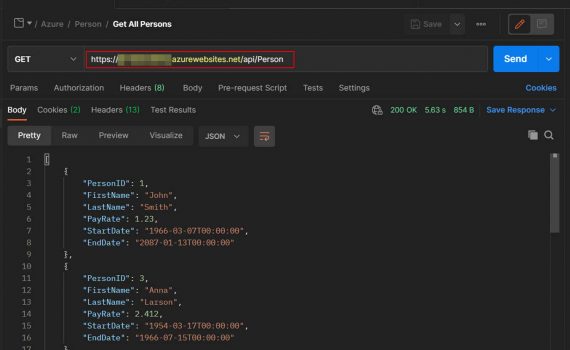
This example explains how to create REST API server. It could be deployed on-premises or in Azure (cloud). Technology used: Visual Studio 2019 (C# Windows Web App) SQL Server 2019 (on premises) Azure Authentication: Basic (base64 encoded Username:Password) Requests: HTTP SQL GET SELECT POST INSERT PUT UPDATE DELETE DELETE Database […]

In this example we create ADF pipeline that extracts from SQL Server and saves in CSV files in Data Lake. The point is just to demonstrate the logic so you can edit it as you need. The extract is driven by SQL Server table with all the parameters for a […]

Upload file result.csv into Azure Data Lake (in mystorageaccount/mycontainer). Databricks commands: spark.conf.set() define the access key for the connection to Data Lake. The access key can be found in Azure Portal. To list a folder in ADLS, use dbutils.fs.ls(). To read a file in ADLS, use spark.read(). The result is […]

Databricks commands: Import library requests to be able to run HTTP requests. Define the parameters, the Basic Authentication attributes (username, password) and execute GET request. spark.conf.set() define the access key for the connection to Data Lake. The access key can be found in Azure Portal. Define the destination folder path […]

Create table and insert data: Databricks commands: The values for hostname, port, database and username can be found in the connection string of the database. Create a widget to pass parameters from Azure Data Factory. As many as needed parameters can be declared and used in a dynamic SQL query. […]

The PDF version of the book Learn Microsoft® SQL Server® Intuitively. Transact-SQL: The Solid Basics can be found here. The source code can be downloaded here. Keep it simple :-)



I googled “mariadb pivot” and the first answer was this. I need to generate this code: In few words PIVOT is grouping by two groups: CustomerID, ItemID Period And the result is: I played a little and i got this: The result is: The same code for SQL Server: It […]