Change Data Capture is a mechanism in SQL Server to capture the changes in the database for specified retain period (retention window). You can find more information here. In this example i create something like POC (Proof of Concept) to implement CDC in my data ingestion design. In few words: Tables: […]

In my projects i need to design a transactional database and since the beginning i know that it will be the source of an ETL, feeding a Data Warehouse. I add Primary Key (single column or composite) and standardized metadata columns in all the tables. The date-tracking columns: Option 1 […]
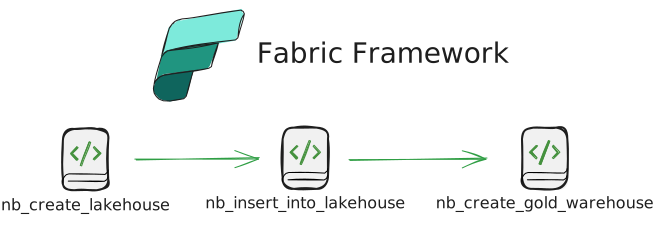
All the posts about Fabric Framework are under tag "fabric-framework". After we create the Fabric Workspace, you need to create the objects that will run the automation. Upload folder “one_time_exec” and run pipeline “pl_one_time_exec_master” Diagram This pipeline has to be ran once. It calls notebooks in order: Configuration File You […]
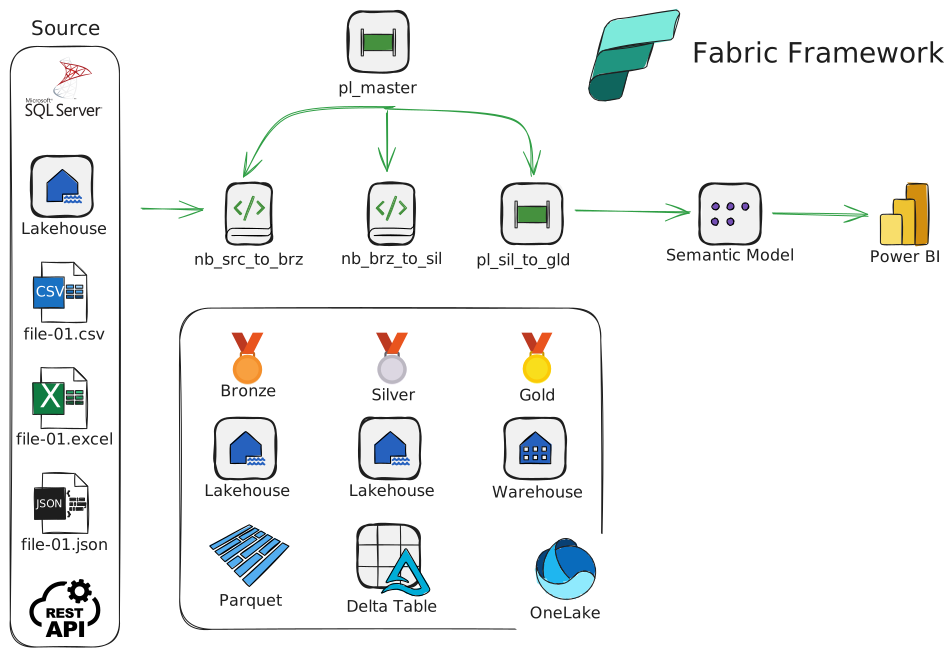
All the posts about Fabric Framework are under tag "fabric-framework". I started working on a Fabric Framework. in few words this is: Diagram Repository You can find an early version of the source code in GitHub. Dataflow The starting point is an hourly scheduled pipeline “pl_master” that: Folders and Files […]
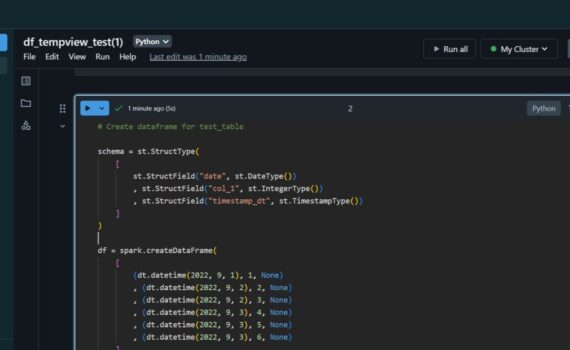
When we insert data into spark dataframe, it continues to live in the source (delta table). In this example i: Spark Dataframe Pandas Dataframe When we select data from delta table into pandas dataframe, the data is transferred to the dataframe. Keep it simple :-)

When working with Azure Synapse Serverless, we store the data in Parquet Files, not in a database. These Parquet Files in Data Lake are external tables in the serverless database. One limitation related to the external tables exists – we can’t DML them, i.e. we can SELECT, but not INSERT […]
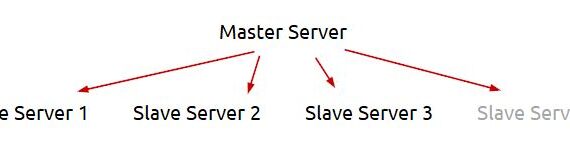
In this example i will facilely explain my logic to extract dynamically in Azure Data Factory or Azure Synapse from multiple servers and save the result in Azure Data Lake. This post extends the logic, explained earlier in another post – Azure Data Factory (ADF): Dynamic Extract Driven by SQL […]
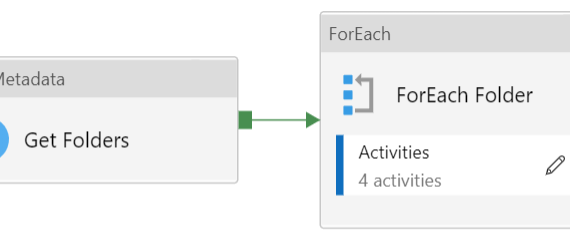
In some cases i need to loop folders and files in Azure Data Lake Storage in order to import data in the destination. The file structure can look like: That means that i need to loop this stricture with two nested ForEach Activities in ADF pipeline – one for the […]

Azure Synapse Analytics offers the so called “serverless” database. It keeps the data in .parquet files. One thing i was suspicious with was the data types in the .parquet file. I decided to test if they are all NVARCHAR(4000) or we can use the standard SQL Server data types. In […]