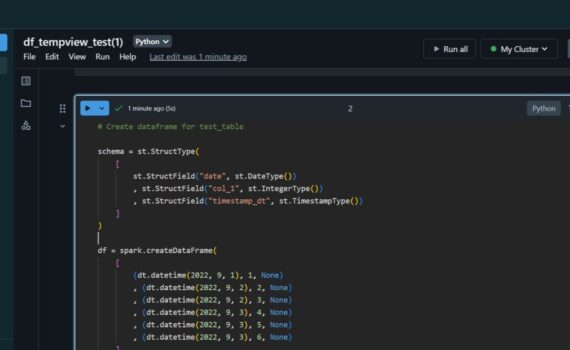
When we insert data into spark dataframe, it continues to live in the source (delta table). In this example i: Spark Dataframe Pandas Dataframe When we select data from delta table into pandas dataframe, the data is transferred to the dataframe. Keep it simple :-)
Databricks
7 posts

Download JupyterLab portable from portabledevapps.net: Install and start the app: Open in browser: Add PyPI: Add the code that i posted here and start the development: Related posts: Python: Build JSON Array and keep the last object based on key Keep it simple :-)

An ETL that i build recently instigated me to share the following excerpt of python code. The players in this ETL are: Apache Kafka (Source) Azure Data Factory (ETL app) Azure Databricks (Extract and Transform with Python) Azure Data Lake Storage (File storage) Cosmos DB (Destination) In this example i […]

This python code can be used to extract two files from Kafka in Azure Datalake (ADLS): extract/kafka/topic/topic_{YYYYMMDD_HHMMSS}.json – no duplicates (PK: parentId|id) extract/kafka/topic_history/topic_{YYYYMMDD_HHMMSS}.json – all the rows (PK: parentId|id|date_created) If case of error, the KafkaException is exported in a file with name error_topic_{YYYYMMDD_HHMMSS}.txt. ADF determines if there is an error, […]

Upload file result.csv into Azure Data Lake (in mystorageaccount/mycontainer). Databricks commands: spark.conf.set() define the access key for the connection to Data Lake. The access key can be found in Azure Portal. To list a folder in ADLS, use dbutils.fs.ls(). To read a file in ADLS, use spark.read(). The result is […]

Databricks commands: Import library requests to be able to run HTTP requests. Define the parameters, the Basic Authentication attributes (username, password) and execute GET request. spark.conf.set() define the access key for the connection to Data Lake. The access key can be found in Azure Portal. Define the destination folder path […]

Create table and insert data: Databricks commands: The values for hostname, port, database and username can be found in the connection string of the database. Create a widget to pass parameters from Azure Data Factory. As many as needed parameters can be declared and used in a dynamic SQL query. […]