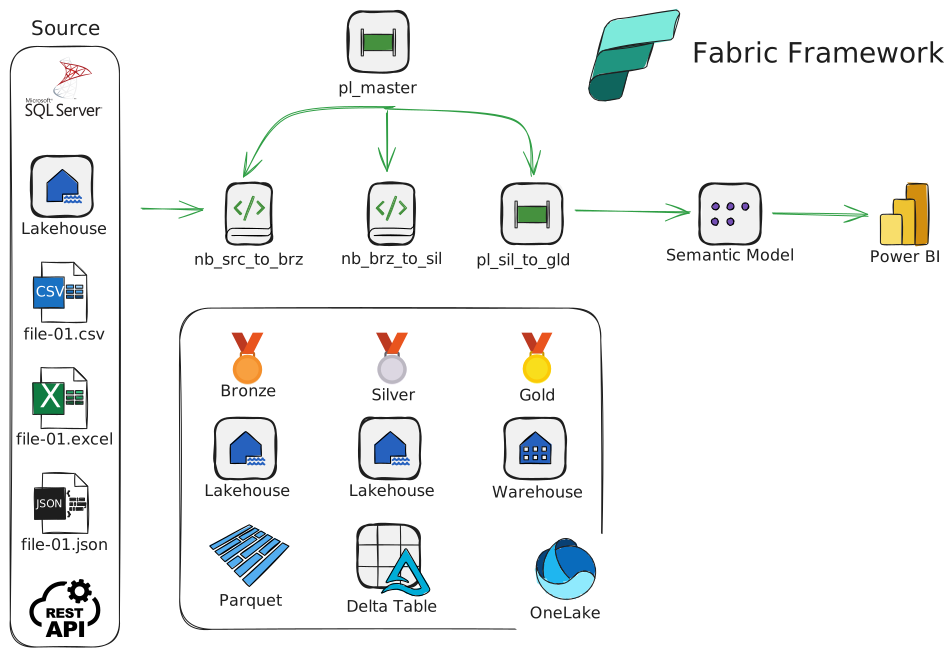
All the posts about Fabric Framework are under tag "fabric-framework".
After we create the Fabric Workspace, you need to create the objects that will run the automation. Upload folder “one_time_exec” and run pipeline “pl_one_time_exec_master”
Diagram
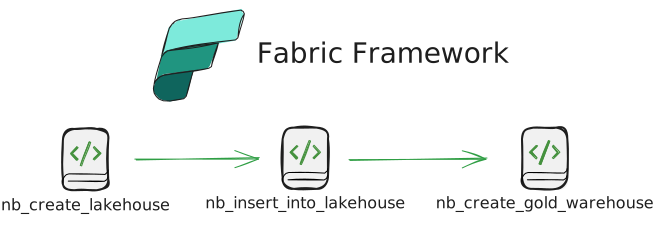
This pipeline has to be ran once. It calls notebooks in order:
Configuration File
You need to fill all the necessary sheets in the Excel file /one_time_exec/configuration.xlsx. Each sheet is imported in the corresponding configuration table.
File extract_schema_table_column_from_src_server.sql is used to Extract from Object Catalog the data, needed in configuration.xlsx, related to on-prem SQL Server.
nb_create lakehouse
Create Lakehouses
- lh_cfg – configuration
- lh_log – log
- lh_bronze – Bronze layer (Parquet files)
- lh_silver – Silver layer (Delta tables)
- lh_AdventureWorks – shortcut to Azure SQL Database
- lh_dataverse_tablename_workspace_abc – shortcut to Dataverse Database
The notebook verifies if the above Lakehouses exist and doesn’t recreate them.
Insert the ABFS paths of the newly created Lakehouses into table lh_cfg/Tables/global_parameter.
Create tables
Extract Object
- lh_cfg/Tables/eo_sqlserver – data ingestion from on-prem SQL Server
- lh_cfg/Tables/eo_lakehouse – data ingestion from Lakehouse shortcuts
- lh_cfg>/Tables/eo_excel – data ingestion from Excel files
- lh_cfg>/Tables/eo_csv – data ingestion from CSV files
- lh_cfg/Tables/eo_json – data ingestion from JSON files
- lh_cfg/Tables/eo_api – data ingestion from REST APIs
Extract Parameter
- lh_cfg/Tables/global_parameter – parameters, applies across all the solution
- lh_cfg/Tables/ep_sqlserver – parameters, used to extract from on-prem SQL Server
- lh_cfg/Tables/ep_lakehouse – parameters, used to extract from Lakehouse (Shortcut)
- lh_cfg/Tables/ep_api – parameters, used to extract from REAT API
Power BI
- lh_cfg/Tables/pbi_refresh – used to refresh the Power BI semantic models
Metadata
- lh_cfg/Tables/md_column – metadata columns to be appended to the tables in the Bronze layer (date_extracted, server_name, table_name, run_id, etc.)
Log
- lh_log/Tables/log – custom log, collected during the execution of the entire process. Used for debugging and reporting
Schedule
- lh_cfg/Tables/schedule – Determines which objects to be ingested at the “now” moment (scheduled). Development in progress…
Data Validation
- lh_cfg/Tables/data_validation – run basic data validation on Gold layer. Development in progress…
nb_insert_into_lakehouse
Read the data from file configuration.xlsx and insert in the configuration tables
nb_create_gold_warehouse
Use Fabric API to get the existing warehouses and, if not exist, create Warehouse wh_gold
Keep it simple :-)